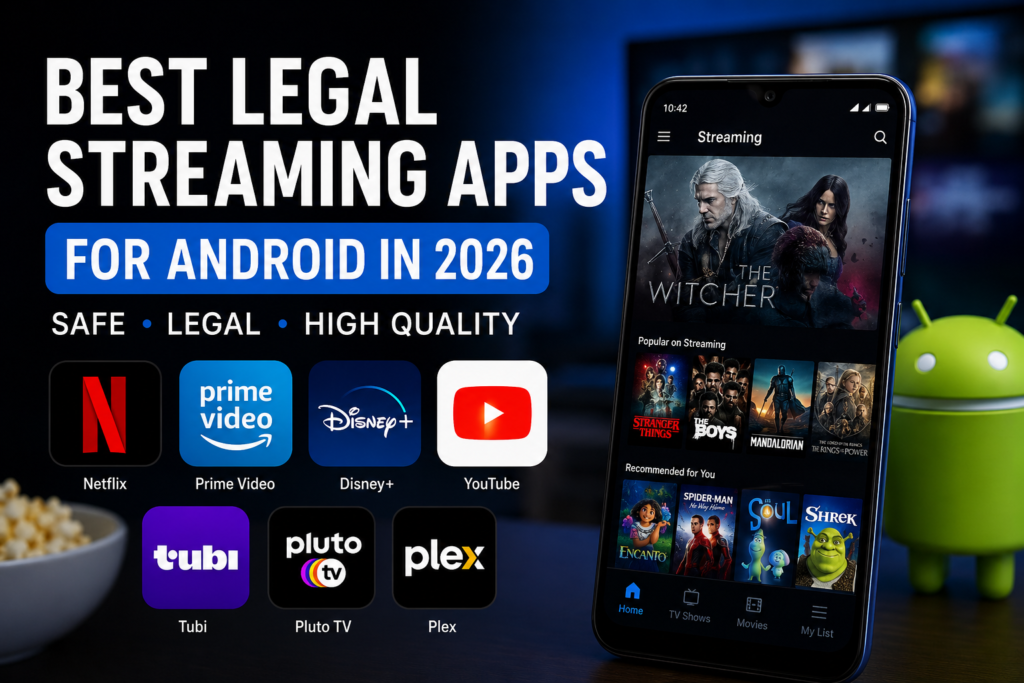
7 Best Legal Streaming Apps for Android in 2026
Compare trusted legal streaming apps for Android, including free and premium options for movies, TV shows, live channels, and offline viewing.
Watching movies and TV shows on Android has become easier than ever, but choosing the right streaming app can still be confusing. Some platforms focus on original series, while others offer free movies, live channels, family content, or offline downloads.
The best legal streaming apps for Android provide official access to licensed entertainment, regular updates, stable playback, and safer installation through trusted app stores. However, prices, catalogues, advertisements, and available features can vary depending on the platform and the viewer’s country.
This StreamzyHub guide compares seven popular legal streaming apps for Android in 2026. It explains what each service offers, who it is best for, and which limitations users should consider before choosing an app.
Prefer watching on a computer? Explore our best legal streaming apps for PC guide for Windows computers and laptops.
Table of Contents
- Android Streaming Guide Information
- What Is a Legal Streaming App?
- Best Legal Streaming Apps for Android
- Android Streaming Apps Comparison
- Features to Look For
- How to Start Streaming on Android
- Pros and Cons
- Frequently Asked Questions
- Final Words
Android Streaming Guide Information
| Guide Detail | Information |
|---|---|
| Main Topic | Legal streaming apps for Android |
| Devices | Android phones and tablets |
| Content | Movies, TV shows, and live channels |
| Service Types | Free and subscription-based |
| Installation Source | Official Google Play Store |
| Internet Required | Yes, except supported downloads |
| Region Restrictions | May apply |
| Last Updated | July 2026 |
What Is a Legal Streaming App?
A legal streaming app gives users access to movies, TV shows, live channels, or other video content with permission from the relevant rights holders. These services usually operate through subscriptions, advertising, rentals, purchases, or a combination of these models.
Using official streaming apps offers several advantages, including safer installation, regular updates, better playback quality, and access to customer support. Users should avoid unofficial or modified apps that promise premium content without permission.
Best Legal Streaming Apps for Android
The best legal streaming apps for Android include premium subscription platforms, free ad-supported services, and flexible apps offering movies, TV shows, and live channels. The right choice depends on your budget, location, preferred content, and whether you need features such as offline downloads or family profiles.
Netflix
Netflix is one of the most popular premium streaming apps for Android. It offers movies, TV series, documentaries, and original productions across many genres.
The Android app includes multiple profiles, personalised recommendations, parental controls, subtitles, and offline downloads for eligible titles. It is a strong choice for viewers who want a large international catalogue and regular original releases.
Best for: Original series and international entertainment
Service type: Paid subscription
Offline viewing: Available for eligible titles
Main limitation: Plans and catalogues vary by country
For current Android compatibility and download information, check the official Netflix Help Center.
Prime Video
Prime Video is a flexible streaming service for Android users who want subscription content alongside movie rentals and purchases. Its catalogue includes films, TV series, documentaries, and Amazon Originals.
The Android app supports personalised recommendations, subtitles, multiple profiles, and offline downloads for eligible titles. It is especially useful for viewers who already use Amazon services or prefer renting individual movies.
Best for: Amazon Originals, rentals, and purchases
Service type: Paid subscription with optional rentals
Offline viewing: Available for eligible titles
Main limitation: Some movies and channels require an extra payment
For supported devices and offline downloads, visit the official Prime Video Help page.
3. Disney+
Disney+ is a popular Android streaming app for families and viewers interested in Disney, Pixar, Marvel, Star Wars, and National Geographic content.
The app includes separate profiles, parental controls, subtitles, watchlists, and offline downloads on supported plans. It is a strong option for family entertainment and major movie franchises.
Best for: Families and major entertainment franchises
Service type: Paid subscription
Offline viewing: Available on supported plans
Main limitation: The catalogue varies by region
For supported Android devices and current compatibility details, visit the official Disney+ Help Center.
4. YouTube
YouTube provides free videos, creator content, educational programmes, music, live broadcasts, and selected movie rentals or purchases.
The Android app is easy to use and is already installed on many devices. A YouTube Premium subscription adds extra features in supported countries.
Best for: Free videos, education, and creator content
Service type: Free with optional paid features
Offline viewing: Depends on the plan and region
Main limitation: Free viewing normally includes advertisements
5. Tubi
Tubi is a free, legal streaming service supported by advertisements. It offers movies, television shows, live content, and selected original productions in supported countries.
Users do not need a paid subscription, making it useful for viewers who want free entertainment through an official Android app.
Best for: Free movies and TV shows
Service type: Free with advertisements
Offline viewing: Generally unavailable
Main limitation: Not available in every country
6. Pluto TV
Pluto TV combines free live television channels with a library of on-demand movies and programmes.
Its channel-style interface is useful for viewers who prefer browsing live content instead of choosing one specific title.
Best for: Free live television channels
Service type: Free with advertisements
Offline viewing: Not available
Main limitation: Channels and content vary by country
7. Plex
Plex offers free, advertising-supported movies, television programmes, and live channels. It can also help users organise and stream their own legally obtained media collection.
The Android app is suitable for viewers who want free entertainment and personal media features in one platform.
Best for: Free streaming and personal media organisation
Service type: Free with optional premium features
Offline viewing: Depends on the selected features
Main limitation: The interface is more complex than a basic streaming app
Android Streaming Apps Comparison
| App | Free Option | Subscription | Offline Downloads | Best For |
|---|---|---|---|---|
| Netflix | No | Yes | Yes | Original series |
| Prime Video | Limited | Yes | Yes | Movies and rentals |
| Disney+ | No | Yes | Plan-dependent | Family entertainment |
| YouTube | Yes | Optional | Plan-dependent | Free videos and creators |
| Tubi | Yes | No | No | Free movies and shows |
| Pluto TV | Yes | No | No | Free live channels |
| Plex | Yes | Optional | Feature-dependent | Free TV and personal media |
Note: Features, prices, catalogues, and regional availability may change depending on the country and subscription plan.
Features to Look For
Smooth Streaming Performance
A good Android streaming app should load videos quickly, remain stable during playback, and adjust video quality when the internet connection becomes slower.
Offline Downloads
Offline downloads are useful when travelling or watching without mobile data. Check whether the service allows downloads and whether this feature is included in your subscription plan.
Subtitle and Audio Options
Choose an app that offers subtitles, closed captions, multiple audio languages, and accessibility features. Available options may differ by title and region.
Family and Parental Controls
Profiles and parental controls help families separate recommendations and restrict content according to age.
Chromecast and TV Support
Many Android streaming apps can cast content to a compatible television or work through Android TV and Google TV devices.
Clear Pricing
Before subscribing, check whether the platform charges a monthly fee, includes advertisements, or requires extra payment for rentals and premium channels.
Official App Updates
Apps installed from the Google Play Store receive official updates, security fixes, and performance improvements from their developers.
How to Start Streaming on Android
1. Choose the Right Streaming Service
Decide what type of content you want to watch. Some apps focus on original series and movies, while others offer free content, live channels, family programmes, or offline downloads.
2. Open the Google Play Store
Open the official Google Play Store on your Android phone or tablet. Using the official store helps you avoid fake or modified applications.
3. Verify the App Developer
Before installing an app, check the developer name, ratings, reviews, and number of downloads. Make sure the application is published by the official streaming company.
4. Install the App
Tap Install and wait for the download to finish. The time required depends on the app size and your internet connection.
5. Create or Sign In to Your Account
Open the app and create a new account or sign in with an existing one. Some services require a paid subscription, while others are free with advertisements.
6. Review the Streaming Settings
Choose your preferred video quality, subtitle language, mobile-data settings, parental controls, and download options.
7. Start Watching
Search for a movie, TV show, or live channel. You can also add content to your watchlist for later viewing.
Pros and Cons
| Pros | Cons |
|---|---|
| Safe installation from Google Play | Some services require a monthly subscription |
| Official and licensed content | Catalogues vary by country |
| Regular updates and security fixes | Free apps usually include advertisements |
| Better video and audio quality | Not every title supports offline downloads |
| Subtitles and accessibility tools | Some movies require an extra rental fee |
| Parental controls and user profiles | Using several subscriptions can become expensive |
Frequently Asked Questions
What Are the Best Legal Streaming Apps for Android?
Netflix, Prime Video, Disney+, YouTube, Tubi, Pluto TV, and Plex are among the strongest legal options for Android users. The best choice depends on your budget, location, and preferred content.
Are Free Streaming Apps Legal?
Yes. Some platforms, including Tubi, Pluto TV, Plex, and YouTube, provide legal free content supported by advertisements. Availability may vary by country.
Can I Watch Movies Offline on Android?
Yes. Some subscription services allow users to download eligible movies and TV shows for offline viewing. The feature may depend on the selected plan and title.
Do I Need to Pay for Every Streaming App?
No. Some services are completely free with advertisements, while others require a subscription or charge separately for rentals and purchases.
Can I Use the Same Account on Android TV?
Many streaming platforms allow users to sign in with the same account on Android phones, tablets, Android TV, and other supported devices.
Which Streaming App Is Best for Families?
Disney+ is a strong family-focused option, while Netflix and Prime Video also offer children’s profiles and parental controls.
Where Should I Download Streaming Apps?
Download apps from the official Google Play Store or the official website of the streaming service. Avoid modified or unofficial application files.
Which App Is Best for Free Live TV?
Pluto TV is designed around free live channels, while Plex also offers live programming in supported regions.
Do Streaming Catalogues Change by Country?
Yes. Licensing agreements affect which movies, shows, and channels are available in each region.
Can I Cast Android Streaming Apps to a TV?
Many Android streaming apps support Chromecast, Google TV, Android TV, or another compatible casting system.
Final Words
The best legal streaming apps for Android in 2026 include both premium and free choices. Netflix, Prime Video, and Disney+ are suitable for viewers who want large subscription libraries, while Tubi, Pluto TV, Plex, and YouTube offer useful free alternatives.
Before choosing an app, compare its regional availability, catalogue, advertisements, download features, and total cost. Installing the official version through Google Play also provides a safer and more reliable streaming experience.
Explore more recommendations in our Streaming Guides, including upcoming guides for iOS and Fire TV.
Looking for a larger-screen experience? Read our guide to the best legal streaming apps for PC.